IPTV explained
What is IPTV and how does it work?
By the IPTV Fox TV editorial teamLast reviewed 4 min read
Short answer
IPTV (Internet Protocol Television) delivers live TV channels and on-demand video over an internet connection instead of a cable, satellite or antenna signal. You watch it through an app on a smart TV, streaming stick, phone or computer, and the provider streams each channel to you as data packets — the same way any other web video arrives.
IPTV in one sentence
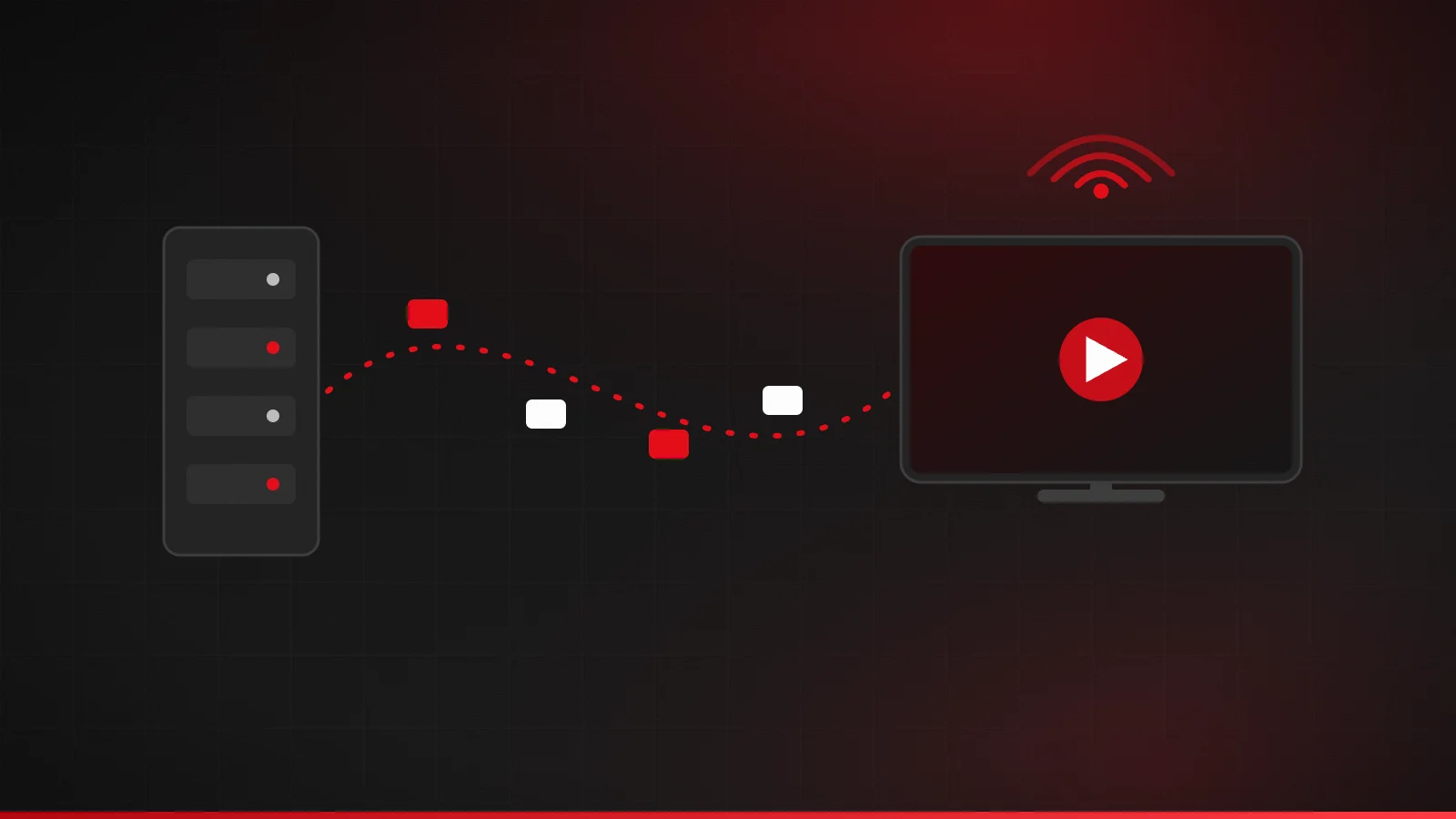
IPTV is television delivered using the same Internet Protocol (IP) that carries web pages and email. Rather than tuning into a broadcast frequency, your device requests a channel from a server, and that server sends the video back over your broadband connection.
The term covers a wide range of services. Some phone and broadband companies have used IP delivery for their own TV packages for years. Today, "IPTV" most often refers to subscription services that you access with a player app on any internet-connected screen.
How does IPTV work, step by step?
- Video is encoded. Each live channel is compressed into a digital stream using a video codec such as H.264 or H.265 (HEVC), which makes it small enough to send over the internet. Our guide to IPTV encoders and headends explains this step.
- Streams are packaged and served. The provider breaks each stream into short segments and lists them in a playlist, often using HTTP Live Streaming (HLS), whose playlists use the M3U format.
- Your app requests a channel. When you pick a channel, the player app asks the provider's server for that stream using your account details.
- Segments download and play. Your device downloads a few seconds of video ahead of what you're watching (the buffer) and plays it back. If the connection slows, the buffer runs down — that's when you see buffering.
- A program guide fills in the schedule. A separate data feed, the electronic program guide (EPG), tells the app what's on each channel and when.
What do you need to watch IPTV?
- A broadband connection. The FCC suggests 5–8 Mbps for a single HD stream and 25 Mbps for 4K. Our internet speed guide explains how to plan for several screens.
- A compatible device. Smart TVs, Fire TV, Android TV and Google TV, Apple TV, phones, tablets and computers can all work, depending on the apps available. See the devices and apps overview.
- A player app. Most services give you login details to enter into a player app. The two common formats are Xtream Codes logins and M3U playlist links.
- A subscription. The provider supplies the channels, guide data and login.
IPTV vs cable, satellite and streaming apps
| IPTV | Cable / satellite | Streaming apps (e.g. on-demand services) | |
|---|---|---|---|
| How it arrives | Internet connection | Coaxial cable or dish | Internet connection |
| Live channels | Yes — the core of most IPTV services | Yes | Some, often limited |
| Equipment | Your own TV, stick, phone or computer | Provider's set-top box | Your own devices |
| Watching on several screens | Depends on the plan's connection limit | Usually needs extra boxes | Depends on the plan |
| Affected by your broadband | Yes | No | Yes |
If you're deciding whether to switch, our IPTV vs cable TV comparison walks through costs, reliability and setup in more depth.
Live TV, video on demand and catch-up
IPTV services can offer three kinds of viewing. Live TV streams channels as they broadcast. Video on demand (VOD) is a library of films or series you start whenever you like. Catch-up (sometimes called replay or time-shift) lets you go back and watch programs that aired earlier. Not every service includes all three, so check what a plan actually includes before you buy.
Is IPTV legal?
IPTV is a delivery technology, and the technology itself is legal. What matters is whether the service has the rights to the content it streams. In the United States, operating an unauthorized commercial streaming service is a federal crime. We explain the details in Is IPTV legal in the US?.
IPTV, OTT and streaming: what's the difference?
You'll see these terms used interchangeably, but they started out meaning different things. IPTV originally described TV delivered by a telecom company over its own managed network, straight to a set-top box. OTT (over-the-top) describes video sent across the open internet to any app, with no special network in between, which is how Netflix and most streaming apps work. Today most consumer “IPTV” subscriptions are technically OTT: live channels delivered over the public internet to a player app.
The practical difference for viewers is control over the connection. A managed network can reserve capacity for TV; an OTT service shares your broadband with everything else in the house. That's why home-network quality matters so much for IPTV, and why our buffering guide starts with your Wi-Fi.
Questions to ask before you choose IPTV
- Does my broadband reliably deliver enough speed at the times I watch?
- Which player apps run on the devices I already own?
- Does the service include the channels and the program guide I actually use?
- Who runs the service, and how is the content licensed?
Our checklist for choosing an IPTV service goes through each of these in detail.
Advantages and limitations
Advantages: you can use devices you already own, watch in any room with a connection, avoid installation visits, and often choose shorter commitments than traditional TV contracts.
Limitations: picture quality depends on your home network, a broadband outage means no TV, and the experience varies with the player app you choose. A good provider is upfront about these trade-offs.
Frequently asked questions
What does IPTV stand for?
Internet Protocol Television: TV delivered over IP networks, the same technology that carries other internet traffic.
Do I need a special box for IPTV?
Usually not. Most smart TVs, streaming sticks, phones and computers can run an IPTV player app.
Does IPTV use a lot of data?
Video is data-heavy. An HD stream can use several gigabytes per hour, so check any data cap on your broadband plan.
Sources
Related guides

IPTV glossary: common terms explained
Plain-English definitions of common IPTV terms: M3U, Xtream Codes, EPG, XMLTV, VOD, catch-up, connections, bitrate, HEVC, buffering, latency and more.
4 min read
IPTV vs cable TV: costs, setup and trade-offs
IPTV or cable? Compare delivery, total cost, equipment, reliability and contracts, and see when cable is still the better choice for a US household.
4 min read
How much internet speed do you need for IPTV?
Internet speed requirements for IPTV in HD and 4K, based on FCC and Netflix guidance, plus how to plan bandwidth for several screens and test your real speed.
4 min read