IPTV explained
What is an IPTV encoder? Encoders and headends explained
By the IPTV Fox TV editorial teamLast reviewed 4 min read
Short answer
An IPTV encoder is a device or software that takes a video source, such as an HDMI or SDI feed from a camera, receiver or media player, compresses it with a codec like H.264 or H.265, and sends it out as a stream over an IP network. Encoders are the starting point of an IPTV headend, the system hotels, campuses and businesses use to distribute TV over their own networks. Home viewers of an IPTV subscription don't need one; the provider handles encoding.
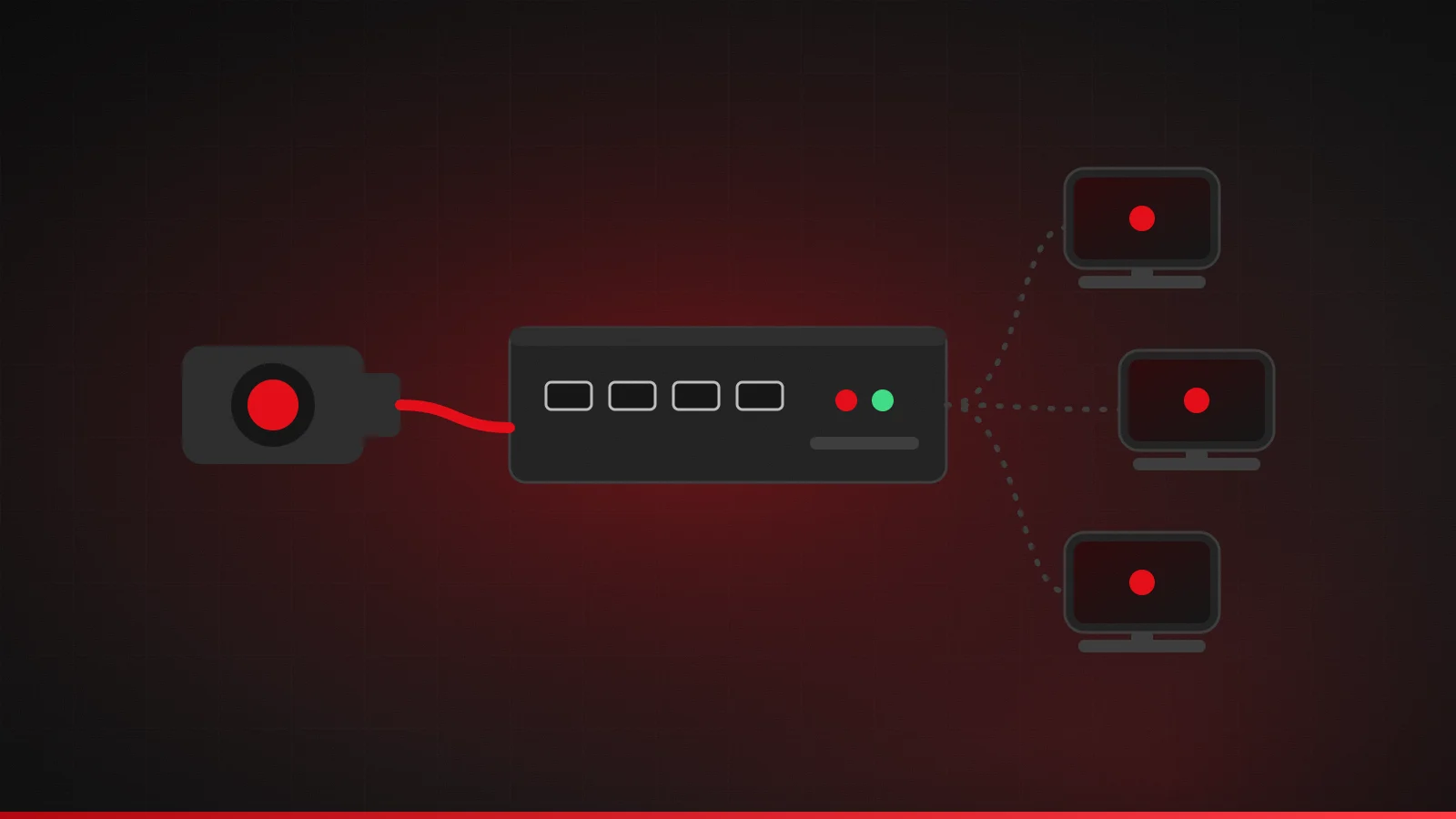
What an IPTV encoder does
A video signal coming out of a camera or set-top box is uncompressed and far too large to send across a normal network. An encoder solves that in three steps: it captures the incoming signal, compresses it with a video codec, and packages the result into a network stream that other devices can play. One encoder can handle a single channel or, in larger models, many channels at once.
Common inputs: HDMI, SDI and more
| Input | Where it's used | Notes |
|---|---|---|
| HDMI | Consumer cameras, media players, PCs, set-top boxes | The most common input on affordable encoders |
| SDI (3G/12G-SDI) | Professional cameras and broadcast equipment | Locking connectors and long cable runs |
| Composite / analog | Older equipment | Lower quality; mainly for legacy sources |
| IP input (transcoding) | Existing streams | Converts one stream format or quality to another |
Searches like “HDMI to IPTV converter” are usually looking for an HDMI encoder: a box that turns a screen output into a network stream. Note that HDMI sources protected by HDCP copy protection generally can't be encoded, which is a deliberate safeguard on commercial content.
Codecs: H.264 and H.265 (HEVC)
Two codecs dominate. H.264 (AVC), standardized by the ITU-T, is supported by almost every player and device. H.265 (HEVC) is its successor and can deliver similar quality at a lower bitrate, which matters for 4K, but older or cheaper devices may not decode it. Many encoders offer both, so you can match the codec to the screens that will watch.
Outputs and streaming protocols
| Protocol | Typical use |
|---|---|
| UDP / RTP multicast | Sending channels to many screens on a local network efficiently (hotels, campuses) |
| HLS | Playback in apps, browsers and smart TVs; segments listed in M3U-format playlists |
| RTMP | Sending a live feed to a streaming platform or server |
| SRT | Sending a live feed reliably over the public internet |
| RTSP | Cameras and some monitoring systems |
Multicast is what makes in-building IPTV scale: one stream on the network can be watched by many TVs without the encoder sending a separate copy to each. It needs network switches configured for it, typically with IGMP snooping enabled, or multicast traffic can flood the network. HLS playlists use the same M3U format explained in our M3U guide.
Hardware or software encoders?
Encoding can also run as software on a computer, using broadcasting software or server tools that read a capture card and output a stream. Software is flexible and inexpensive for one or two channels. Dedicated hardware encoders cost more but run around the clock without a PC, boot straight into encoding, and usually offer lower, more consistent latency. For permanent installations such as a hotel or campus, hardware is the usual choice; for occasional live events, software is often enough.
What is an IPTV headend?
The headend is the whole system that collects TV sources and turns them into channels on a network. A typical headend includes:
- Sources: satellite or terrestrial receivers, cameras, media players or existing IP feeds.
- Encoders or transcoders: convert each source into IP streams.
- Middleware: the channel list, program guide and user interface shown on each screen.
- Content protection (where required): encryption or DRM, often a condition of carrying licensed channels.
- Distribution: multicast on the local network, or streaming servers for remote viewers.
- Playback devices: smart TVs, set-top boxes, apps or browsers.
Who uses encoders and headends?
Hotels distribute TV channels to guest rooms, universities and hospitals run campus TV, sports bars and venues send feeds to many screens, places of worship and event organizers stream live services, and businesses use encoders for digital signage and internal broadcasts. Broadcasters and IPTV services use far larger versions of the same building blocks. Anyone redistributing TV channels to an audience also needs the right licenses for that content, separate from owning the equipment.
How to choose an IPTV encoder
- Inputs: HDMI for consumer sources, SDI for professional cameras, and enough inputs for the number of channels you need.
- Codec support: H.264 for compatibility, H.265 if your screens support it and bandwidth is tight.
- Output protocols: multicast for in-building distribution, RTMP or SRT for sending to a server or the internet.
- Resolution and frame rate: 1080p is common; 4K needs more bandwidth and HEVC-capable screens.
- Latency: low-latency modes matter for live sport and two-way events.
- Form factor: desktop units for one or two channels, rack-mount (1U) units for larger installations.
- Management: web interface, remote monitoring and firmware updates from the manufacturer.
Budget against bandwidth too. A 1080p H.264 channel commonly needs several megabits per second, so ten channels on one network add up quickly. Plan switch capacity before buying more encoders.
Do home viewers need an IPTV encoder?
No. If you subscribe to an IPTV service, encoding happens on the provider's side, and all you need is a compatible device and a player app. Our guides on what IPTV is and the devices and apps that work with IPTV cover the viewer side.
Summary
Encoders turn video sources into IP streams, and headends combine encoders, middleware and distribution into a TV system for a building or business. Choose by inputs, codecs, output protocols and channel count, plan your network for multicast, and license any content you redistribute.
Frequently asked questions
What's the difference between an encoder and a transcoder?
An encoder converts a raw video input such as HDMI into a compressed stream. A transcoder converts an existing stream into a different codec, bitrate or format.
Can I use an HDMI encoder to stream my cable box?
Usually not. Most pay-TV boxes use HDCP copy protection on HDMI, which blocks capture, and redistributing those channels would require the rights holder's permission.
Sources
Related guides
What is IPTV and how does it work?
IPTV explained in plain English: what Internet Protocol Television is, how channels reach your TV over broadband, and how it compares with cable.
4 min read
M3U playlists explained
What an M3U playlist is, what's inside an IPTV M3U file, how to add an M3U URL to a player app, and how to keep your playlist link private.
4 min read

IPTV glossary: common terms explained
Plain-English definitions of common IPTV terms: M3U, Xtream Codes, EPG, XMLTV, VOD, catch-up, connections, bitrate, HEVC, buffering, latency and more.
4 min read